Showing posts with label iphoneography blog. Show all posts

Saturday, October 8, 2016

Abstract Steps for Pastel Dream

Just finished a fantastic iPhone Creative Adventures class with Teri Lou Dantzler and a bunch of really talented participants. In response to a request by one of them, I am outlining the steps I took for the abstract I call Pastel Dreams. Here's the process to the best of my recollection:

I started with this photo; it's either a pink painted wall or a texture I had already. I then upped the structure and saturation to the nth degree in Snapseed.


Next I went into Pixite's app Fragment, which added the circular shapes.


Fragment again.

Fragment again.


Fragment another time.


Fragment once more added the triangle in the center.

Next I went into Matter app for the shape at the bottom right.

 Matter again for bottom left shape.

 Lightened in Shift app.

I added bubbles (because they seemed right somehow) in an app called Paint FX.


I added lines at the bottom with Lory Stripes app and the unicorn from Simple app. (This is a free app that has many of the effects in Master FX app which I usually use for my little additions. Only trouble is that it puts the word Simple on it - see bottom right.

So I used TouchRetouch app to remove the word Simple.


Took it back into Fragment - didn't like it. It distorted the outline of the face I saw lower right and just generally messed it up as far as I could see.
 

Went back to the earlier version and called it a day. It's done when it's done. I titled it "Pastel Dream".


Saturday, August 8, 2015

iPhone Abstraction: A Guide to the Rabbit Hole

Many of you know that I have disappeared down a giant rabbit hole these past couple of weeks exploring abstraction with the iPhone. I have a feeling that I won't be emerging into the light of day anytime soon, however I promised to show my steps in creating these, so here goes.

I was shopping and noticed the pepper display in the produce section. I thought the colors might make a good base for an abstraction, so I snapped it.


Next I took it into Glaze app and chose a glaze that kept the color but made the photo much less recognizable.


Now that it was pure color, I decided to crop out just a section of the photo to use as my base. I used Snapseed to crop freestyle.


I took it into Matter app and chose one of the styles, expanded it with my fingertips on the base until it looked like I wanted it too. I never know exactly what is going to look good to me in Matter until I do it, so there are many trial and error bits that I do not save. I liked this next one so I saved it.


Now it was getting interesting. It felt "spacelike" to me, like a wormhole. (I have no idea what a wormhole might look like, by the way.) Next, I brightened it in Snapseed.


I felt that I needed a "space" object, so next went into Alien Sky app. I tried some stars, even some galaxies, but I didn't like them. I inserted a Saturn like planet, which I liked very much.


Now, the photo is coming together for me. I then took it into an app called Shift to add some texture. The effect is subtle, but I really liked it.


Next I added another texture and vignette filter from Shift. It was not what I was looking for but interesting enough that I saved it.


Finally, I revisited an old favorite app called Laminar (formerly IRIS) and used the Space texture to add a smattering of stardust. I am happy with the final result. I look forward to seeing what you all do with your own abstractions.


Friday, July 17, 2015

App Your Big Girl/Boy Photos on Your Phone

It's not only permissable, but desirable to app your SLR or micro 4/3 pix on your iPhone or iPad. I often forget this, mainly because I shoot so much on my phone that I barely have time to app anything else. But I have vowed to change that after seeing artist Katrina Pruett's latest offerings. Check these out:


Katrina says that she used so many apps that she is hard pressed to remember exactly which ones are responsible for the lovely looks here. She is pretty sure that Stackables is one of the texture apps she used. I love Stackables too - if you haven't tried the app, you should.

You can follow Katrina on FB - she does amazing work in the contemplative photography discipline miksang.

Tuesday, March 10, 2015

Flights of Fancy

I set a goal for myself this year to push the creative edge a bit more - to break some rules or make some new ones to expand out of my familiar ruts. I took some of my archived bird of paradise photos, printed them on a non-professional ink jet printer on plain printer paper (not photo paper), and used water with a brush to "paint" them. The ink blurs like watercolor paints.

Then I rephotographed the finished watercolor images in HIpstamatic using Dreamcanvas. I further apped them in Snapseed and Camera+. I'm not sure these are better than painting in an app like PhotoViva, but I really like the end result and plan to do some more soon. Try your own experiment and send it to me - I'd love to see and share it.


Saturday, July 12, 2014

Palm Divination

On a recent family vacation (grandbaby time), Dewitt and I were cruising the beach in Ventura, CA. A grouping of three palm trees caught my eye - I love palm trees and I could already foresee multiple app permutations.

I started with Snapseed and HDR art for the first iterations.


Next I used Modern Grunge for this interpretation.

I went to an old favorite app for this one:  FotoMuse.

And finally, I dipped into Old Photo Pro for this very cool look.

I don't have a favorite - I pretty much like them all - and the 10 others that are still sitting on my iphone.

Tuesday, June 24, 2014

Abstract Expressionism in A Colorado Town

The town of Wray, Colorado has wonderful architecture preserved in its downtown area. Dewitt and I stopped there on our way back to Denver from the eastern part of the state and just wandered around, photographing. (After a great latte and bagel sandwich at the coffee place).

I love the abstract expressionists like Rothko. (I know they aren't everyone's cup of tea, but I seriously could stare at some of those minimalist paintings forever.) Anyway, I kept seeing details in the vintage buildings - here are a few iphone pix. All are straight shots, optimized in Snapseed app.


Friday, May 9, 2014

Palmistry Molokai Style

Dewitt and I had good friends visiting, so we visited the Kapuaiwa Palm Grove for sunset. The sunset was more pastel than dramatic red and orange, which made for a kind of quiet beauty.

This first photo is a Hipstamatic shot with John S and Dreamcanvas. Upped saturation and sharpness in Snapseed.


 I used You Gotta See This to make this collage of the palm trees. (A freaky cool app that Jack Davis turned me on to years ago - I am rediscovering old apps! Optimized in Snapseed and Camera+.

 I used the same combo of apps for this view of the calm sea at sunset. Frame was added in Crop N Frame, which is a terrific framing app.


Brushstrokes added an abstract painterly look to this same photo. I like them both.


Thursday, January 30, 2014

Instant Gratification with InstaFusion App

I love collaging and combining multiple images. I have most of the collage apps and use them in various situations depending on the look I want. Seriously, I did not think there could be another interesting app for image combining - that is, an app that offers new options other than the zillions I already have.

Then the TechBla folks came out with InstaFusion. And yes, it is something new under the sun! It has features like Unistrip (yep, puts a strip of a photo in another, very cool.) Radial Blend is another cool mode. There are too many intriguing aspects to show them all here. Here are just three made with the same two source images.

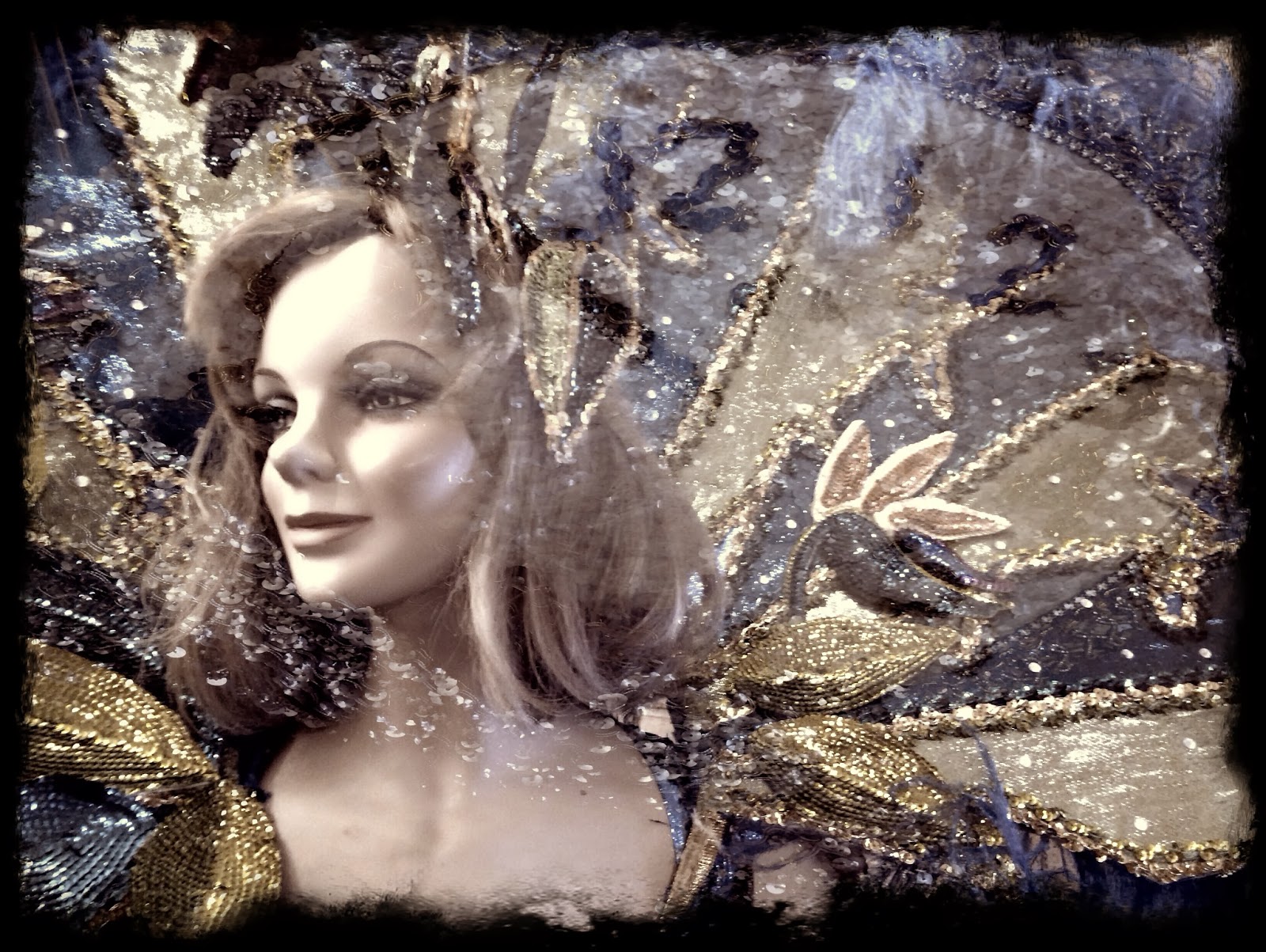
This first image combines two images of Mardi Gras past: a mannequin wears an brightly colored ornate costume and a sequined clock approaches midnight.


For a different look, I used the darker blend mode. I changed the color balance using fave app Color Thief. Finished it off with dark grit frame in Camera+.


 This is my favorite of the series, using yet another blend mode (worked so fast, I'm not sure which one) but InstaFusion lets you see thumbnail versions of the effects so it is easy to find one you like. The clock moving toward 12 lends a disturbing tension to this image.  I finished it off with Camera Awesome Frame, which has a muted effect on the photo.


Sunday, December 22, 2013

Land of the Midnight Surf

One of my favorite newcomer apps is Color Thief. Basically, you choose a photo and choose another of  your photos (or theirs or a website) and the app "steals" the color palette of that second photo and applies it to the first. Sometimes, it's weird, sometimes wonderful, and sometimes you just get to "see" differently.

I was in Honolulu recently and shot this photo on the beach. I loved that the patterned surfboard tells you exactly where you are. It was a gray, cloudy day just before a storm. I just used Snapseed app for some basic optimizing.


And it is fine, as is. Then I started to flip through the Color Thief using other pix I'd taken the same day.This one was a little brighter from a sunnier photo. I like it as well.


A more monochromatic shot yielded this faded, vintage look. Notice we lost some detail in the clouds, so if I really loved this I would probably go into Blender and paint in clouds from the original after desaturating it so as to match the tone. I wasn't enamored enough of this effect to do that, however.


I actually like this one a great deal. I don't mind the cloud detail being gone - the image is already pretty surreal and it just adds to the strange and moody feeling.


Then I let Color Thief use the heavy blue purple tones from an aquarium shot to almost make a day-to-night effect. I liked it but it needed something to really make it feel like night. Laminar app (formerly called Iris) has a vintage effect called Space - I added it and used a mask so it just showed in the sky and sea area. Voila. Land of The Midnight Surf which is my favorite of the series.

Warning: it is possible (read likely) to use up a lot of time playing with this app. It is just so darn much fun to discover all the ways color can completely change an image. I have to budget the amount of time I play with this or whole days can be lost. It's that addicting.