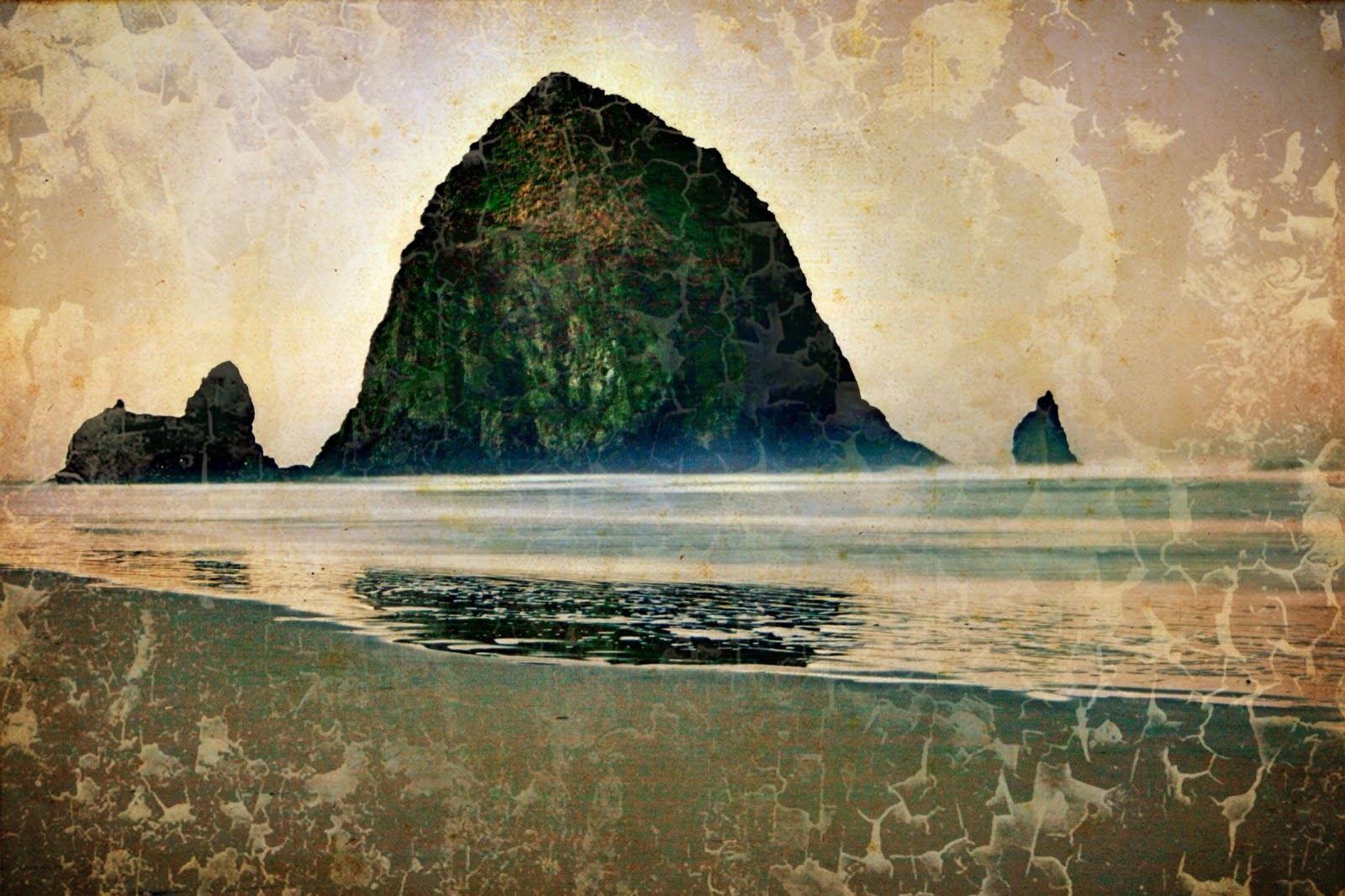
At the request of many of you, I've included the steps to my latest abstraction. I can tell you that I most frequently use these apps in creating them: Matter, Fragment, Tangent, and Shift (all Pixite apps); also Master FX, Alien, Sky, Alayer for textures, and Glaze. Rarely do I use them all for one photo, but usually some combo thereof. I will say that when I start, I have no idea where I am going. It's a surprise to me every time.
Here are the steps to Kachina Echoes. Enjoy and I look forward to seeing your creations.
I started with a photo of calla lilies that I've posted previously and took it into Tiny Planet for this rendition.
Next, I went into Matter app and chose this object (I almost always get rid of the shadow).
I then chose another object in Matter and came up with this.
I took the photo into Fragment which added these shapes and changed the color as well.
Fragment again - it has the feel of Japanese paper cranes I've seen at Manzanar, the internment camp in California that is now a National Historic site. I'm wondering if this will turn out to be cranes or a kimono.
I Fragment it again.
And again.
And one more time - now I am seeing the Kachina face and I feel where this might be going.
I take it into Glaze for painting look - I don't like it.
I go back to the face and change the color palette in Shift app. Better.
I change the color again in Shift. I'm liking it more and more.
I add a texture in Alayer, which also shifts the color a bit. It feels very Southwest in origin to me now.
One more layer of texture in Alayer and I add a white vignette - not sure if I got it in Snapseed or PS Touch, but one of those. It feels complete to me now.
Showing posts with label iPhone art. Show all posts
Monday, October 5, 2015
Saturday, August 8, 2015
iPhone Abstraction: A Guide to the Rabbit Hole
I was shopping and noticed the pepper display in the produce section. I thought the colors might make a good base for an abstraction, so I snapped it.
Next I took it into Glaze app and chose a glaze that kept the color but made the photo much less recognizable.
Now that it was pure color, I decided to crop out just a section of the photo to use as my base. I used Snapseed to crop freestyle.
I took it into Matter app and chose one of the styles, expanded it with my fingertips on the base until it looked like I wanted it too. I never know exactly what is going to look good to me in Matter until I do it, so there are many trial and error bits that I do not save. I liked this next one so I saved it.
Now it was getting interesting. It felt "spacelike" to me, like a wormhole. (I have no idea what a wormhole might look like, by the way.) Next, I brightened it in Snapseed.
I felt that I needed a "space" object, so next went into Alien Sky app. I tried some stars, even some galaxies, but I didn't like them. I inserted a Saturn like planet, which I liked very much.
Now, the photo is coming together for me. I then took it into an app called Shift to add some texture. The effect is subtle, but I really liked it.
Next I added another texture and vignette filter from Shift. It was not what I was looking for but interesting enough that I saved it.
Finally, I revisited an old favorite app called Laminar (formerly IRIS) and used the Space texture to add a smattering of stardust. I am happy with the final result. I look forward to seeing what you all do with your own abstractions.
Tuesday, March 10, 2015
Flights of Fancy
I set a goal for myself this year to push the creative edge a bit more - to break some rules or make some new ones to expand out of my familiar ruts. I took some of my archived bird of paradise photos, printed them on a non-professional ink jet printer on plain printer paper (not photo paper), and used water with a brush to "paint" them. The ink blurs like watercolor paints.
Then I rephotographed the finished watercolor images in HIpstamatic using Dreamcanvas. I further apped them in Snapseed and Camera+. I'm not sure these are better than painting in an app like PhotoViva, but I really like the end result and plan to do some more soon. Try your own experiment and send it to me - I'd love to see and share it.
Saturday, May 24, 2014
Ocean Paddlers Race - Moloka`i to Oahu
An international race of 1 man oceangoing canoes and other craft launched last Saturday off Kepuhi Beach in Moloka`i. Dewitt and I and two close friends went beachside to check out the action.
Strong, buff paddlers pick up their canoes like they are toys. Which they might look like on the surface of the sea between islands.
My favorite shot of the day is of this woman reading quietly while the hubbub of the race goes on around and before her. Snapseed, Waterlogue, and Blender to combine painted image with the optimized original.
A perfect day for paddling - apped with Snapseed.
Strong, buff paddlers pick up their canoes like they are toys. Which they might look like on the surface of the sea between islands.
My favorite shot of the day is of this woman reading quietly while the hubbub of the race goes on around and before her. Snapseed, Waterlogue, and Blender to combine painted image with the optimized original.
Sunday, April 20, 2014
What's Here To Photograph?
Recently, Dewitt and I were teaching an iPhone photography playshop in Kona, Hawaii. On arrival day, we gave ourselves the assignment to find art on site at the Mauna Lani Bay Hotel. After all, we genuinely believe there is beauty everywhere. Here are a few of the shots I “found”. All were optimized in Snapseed and Touch Retouch.
Friday, May 3, 2013
Abstract Expressionism iPhone Style
One of my favorite photographers has begun using her iphone in a most creative way. I love the Abstract Expressionist school of painting and Katrina Pruett's latest work reminds me of that.
For apps, here's what she used. Snapseed, Touch Retouch to eliminate scratches, ProHDR and Photogene for framing. On photo #3, she used Glaze for texture. Enjoy!
With this art experiment, she went all out. She used a collage app, among her usual favorites. Can you guess which one? Which collage app is your favorite?
For apps, here's what she used. Snapseed, Touch Retouch to eliminate scratches, ProHDR and Photogene for framing. On photo #3, she used Glaze for texture. Enjoy!
With this art experiment, she went all out. She used a collage app, among her usual favorites. Can you guess which one? Which collage app is your favorite?
Tuesday, June 5, 2012
A Look In The Mirror - iPhone Style
Brian Kavanaugh Jones returns to iPhone Diva with a series of edgy and cool self portraits. Apps used were Phoster, Decim8, and Camera Bag.
Sunday, February 19, 2012
Painteresque: iPhone Diva’s New Fave App
I was asked the other day what might be my favorite iPhone photo art app. That’s hard to answer - because I have lots of favorites - and they change all the time.
It all depends on what I want to convey in an image, and that usually involves a number of apps for each shot. Sometimes I’ve previsualized - taking a shot with a specific app in mind; other times it’s an organic process of just working a photo until it “feels right”.
Occasionally, I run across an app that is a favorite across the board - for almost any image. While I’m usually not a huge fan of “one trick pony” apps, in the case of Painteresque, I’ve made an exception. Because it is simply phenomenal! So I can say that this week, it’s my favorite app.
Here are a few images to give you a taste of what this yummy app can do.
A view of an entryway/garden in Honolulu.
My friends David and Victoria Ruderman (iPhone Diva artist contributors) have puzzles set up in their great room for breaks from work and art play. I loved the play of light on the boards and the repeat of triangles.
A heart shaped leaf on a ginger lei makes a perfect Hawaiian style valentine.
Outrigger canoes at rest on the North Shore of Oahu, Hawaii.
It all depends on what I want to convey in an image, and that usually involves a number of apps for each shot. Sometimes I’ve previsualized - taking a shot with a specific app in mind; other times it’s an organic process of just working a photo until it “feels right”.
Occasionally, I run across an app that is a favorite across the board - for almost any image. While I’m usually not a huge fan of “one trick pony” apps, in the case of Painteresque, I’ve made an exception. Because it is simply phenomenal! So I can say that this week, it’s my favorite app.
Here are a few images to give you a taste of what this yummy app can do.
A view of an entryway/garden in Honolulu.
My friends David and Victoria Ruderman (iPhone Diva artist contributors) have puzzles set up in their great room for breaks from work and art play. I loved the play of light on the boards and the repeat of triangles.
A heart shaped leaf on a ginger lei makes a perfect Hawaiian style valentine.
Outrigger canoes at rest on the North Shore of Oahu, Hawaii.
Friday, January 20, 2012
No iPhone Yet But You Have an iPad? No Problem!
Photographer Carol Robinson has begun the foray into "apping" by bringing her big girl camera pix into her new iPad and the rest, as they say, is history. I predict an iPhone in her future as well - after all, the best camera is..wait for it... the one you have with you!
Apps she has been using so far include Picture Suite for the Star Magnolia, PhotoArtista Haiku and Blender. Me thinks I see a little pic grunger too. So no iPhone, only an iPad? No problem.
As Carol says: "Addicted is the word for sure..I feel a lot more free to play with these images.
I like the Artista Haiku [the middle photo] the best of the three. There are so many Apps , like so many colored pens. Hard to figure out what to do first."
Amen. Creativity to the max!
Apps she has been using so far include Picture Suite for the Star Magnolia, PhotoArtista Haiku and Blender. Me thinks I see a little pic grunger too. So no iPhone, only an iPad? No problem.
As Carol says: "Addicted is the word for sure..I feel a lot more free to play with these images.
I like the Artista Haiku [the middle photo] the best of the three. There are so many Apps , like so many colored pens. Hard to figure out what to do first."
Amen. Creativity to the max!
Subscribe to:
Posts (Atom)